

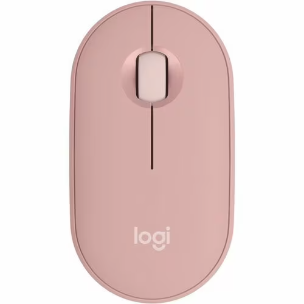
Logitech Pebble 2 M350s Mouse - Bluetooth - USB - Optical - 3 Button(s) - Tonal Rose - Wireless - 4000 dpi - Scroll Wheel - Symmetrical 910-006987
$57.00
| SKU: | 412401 |
|---|---|
| MPN: | 910-006987 |
| Manufacturer: | https://www.logitech.com/en-au |
| Brand: | Logitech |
| Warranty: | Standard Manufacturer's Warranty |
| Availability: | Preorder 2-3 weeks |
| Fright Estimate |

Description
▼
Logitech Pebble 2 M350s Mouse - Bluetooth - USB - Optical - 3 Button(s) - Tonal Rose - Wireless - 4000 dpi - Scroll Wheel - Symmetrical
Slim, compact Bluetooth® mouse with a customizable button. Ambidextrous, slim, round shape made with recycled plastic. Multi-device pairing (up to 3 devices). Silent clicks with Silent Touch Technology.
Features
- Whether you are a lefty or a righty, the symmetrically shaped mouse suits both
- Optical LED for smoother movement and hassle-free performance
- Enjoy the freedom of Bluetooth wireless connectivity found in most Chromebooks
- Built-in scrolling wheel for fast page navigation and better control over browsers' tabs
Specifications
▼
Interfaces/Ports
| Pointing Device Host Interface | USB |
General Information
| Product Type | Mouse |
| Manufacturer Part Number | 910-006987 |
| Manufacturer Website Address | http://www.logitech.com |
| Manufacturer | Logitech |
| Product Model | M350S |
| Product Name | Pebble Mouse 2 M350s |
| Product Line | Pebble |
| Brand Name | Logitech |
Physical Characteristics
| Product Color | Tonal Rose |
Warranty
| Limited Warranty Duration | 1 Year |
Miscellaneous
| Additional Information | • Connection Type: Bluetooth Low Energy Technology • Connection type support: Compatible with Logi Bolt USB receiver (not included) • Wireless range: 10 m 6Wireless range may vary due to environmental and computing conditions. |
| Package Contents | • Pebble Mouse 2 M350s • 1 x AA Alkaline battery (pre-installed) • User documentation • Important Info Document (IID) |
| Compatibility | • Internet access required to download optional customization app Logi Options, Windows® 10, 11 or later 11Customize the device by installing the Logi Options+ App for Windows or macOS. macOS 11 or later 12Customize the device by installing the Logi Options+ App for Windows or macOS. iPadOS 14 or later 13Logi Options+ App is currently not supported. The device’s basic functions will work without it. Android 9.0 or later 14Logi Options+ App is currently not supported. The device’s basic functions will work without it. ChromeOS™ 15Logi Options+ App is currently not supported. The device’s basic functions will work without it. Linux® 16Logi Options+ App is currently not supported. The device’s basic functions will work without it. Works With Chromebook |
Reviews
▼
