

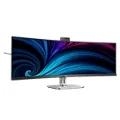
PHILIPS 49" (32:9) CURVE 5K LED, USB-C, RJ45, WEBCAM, SPKR, H/ADJ, THUNDERBOLT, 4YR 49B2U6903CH
| SKU: | 428673 |
|---|---|
| MPN: | 49B2U6903CH/75 |
| Manufacturer: | https://www.philips.com.au/ |
| Brand: | Philips |
| Warranty: | Standard Manufacturer's Warranty |
| Availability: | Preorder 2-3 weeks |
| Fright Estimate |

Description
This Philips Thunderbolt™ 4 monitor is designed with everything you need for a collaborative remote workspace. Its webcam sports features such as auto-framing and a busy light for an unmatched video conferencing experience.
Thunderbolt™ 4 Connection: for lightning-fast connectivity
This Philips docking monitor is equipped with Thunderbolt 4 connection. Compared with conventional USB-C monitors, Thunderbolt 4 technology provides lightning-fast data transfer speeds, supports high resolution video, offers multi-stream transport for daisy chaining, and has the capability of up to 100W of power delivery to external devices.
Collaboration-ready webcam with noise-cancelling mic.
This Philips monitor comes with a built-in 5MP webcam, noise-cancelling microphone, and speakers, making it perfect for working from home and collaborating remotely. It is equipped with advanced sensors that work seamlessly with Windows Hello facial recognition, allowing you to log into your Windows devices in less than 2 seconds. For added privacy, a physical camera switch lets you disable the webcam when not in use. The noise-cancelling microphone and dual 5-watt integrated speakers ensure clear communication.
Busylight: for setting your working status
This feature allows for privacy and optimal collaboration when working in a busy office setting. To transmit to others that they are busy, users can simply press the Busylight hotkey located on the bottom left menu of the monitor bezel and the light located on the webcam will turn red. In addition to this, the Busylight feature can also sync with user's Microsoft Teams status
AI-enhanced Webcam Autoframing: for dynamic video calls.
This AI-enhanced feature is perfect for multi-person video conferencing. When one or more people join the webcam view, the AI-powered feature will automatically adjust and zoom to fit all team members in the frame. Likewise, when participants leave the webcam view, the AI-enhanced webcam will adjust accordingly; thereby making it ideal for long meetings as well as team calls
Adjustable Webcam: for video conferencing in comfort.
Level up the comfort of video conferencing with this feature. By adjusting the webcam back and forth by 30 degrees, users can now comfortably call and attend meetings from any position that best suits them.
SmartKVM: for easily switching between sources.
Unlike traditional built-in KVM monitor button, the smart KVM allows for switching between sources with the click of a button on your keyboard. When all devices are properly connected, users can easily switch between sources by clicking the "Ctrl" key three times.
Specifications
| Panel Size | 48.8 inch/124 cm |
| Aspect ratio | 32:09:00 |
| LCD panel type | VA LCD |
| Backlight type | W-LED system |
| Pixel pitch | 0.2328 x 0.2328 mm |
| Brightness | 450(SDR) cd/m² , 500(HDR) cd/m² |
| Display colours | 1.07 B |
| Colour gamut (typical) | NTSC: 97%*, RGB: 119% * |
| Contrast ratio (typical) | 3000:01:00 |
| SmartContrast | 80,000,000:1 |
| Response time (typical) | 4 ms (Grey to Grey)* |
| Viewing angle | 178º (H)/178º (V) |
| Picture enhancement | SmartImage |
| Maximum resolution | 5120 x 1440 @ 60 Hz (HDMI2.0)*, 5120 x 1440 @ 100 Hz(DP1.4)*, 5120 x 1440 @ 75 Hz (Thunderbolt)* |
| Effective viewing area | 1191.936 (H) x 335.232 (V) mm, 1800 R curvature* |
| Scanning Frequency | HDMI: 30–140 kHz (H)/30–75 Hz (V); DP/Thunderbolt: 30–200 kHz (H)/48–120 Hz (V) |
| sRGB | Yes |
| Delta E | < 2 (sRGB) |
| SoftBlue | Yes |
| Flicker-free | Yes |
| Pixel Density | 109 PPI |
| Display Screen Coating | Anti-Glare, 3H, Haze 25% |
| SmartUniformity | 93 ~ 105% |
| EasyRead | Yes |
| Adaptive sync | Yes |
| HDR | Display HDR 400 certified |
| EyeSafe | Yes |
| Signal Input | HDMI 2.0 x 2, DisplayPort 1.4 x 1, Thunderbolt 4 input x 1 (upstream, Data, Video, PD to 100 W) |
| Sync Input | Separate Sync |
| Audio (In/Out) | Audio out/Microphone in combo jack |
| RJ45 | Ethernet LAN up to 2.5G*, Wake on LAN |
| Signal Output | Thunderbolt 4 output x 1 (downstream, Data, Video, PD 15 W) |
| HDCP | HDCP 1.4 (HDMI/DisplayPort/Thunderbolt 4), HDCP 2.2 (HDMI/DisplayPort/Thunderbolt 4 ) |
| HBR3 | HBR 3 (Thunderbolt 4) |
| USB Hub | USB 3.2 Gen 2/10 G, upstream: 1 x Thunderbolt 4, 1 x USB-C1 (data); downstream: 1 x Thunderbolt 4, USB-A x4 (with x 1 fast charge B.C 1.2), USB-C2 x 1 (data, 45 W) |
